Monday, April 26, 2010

Make your computer sounds lyk a typewriter


Remeber those old Typewriters, they make sound everytime when you press any key. So here is a small program KCLICK that will certainly make typing a fun and its very appeling to typewriter users.

If KClick is active and you're using the keyboard to edit documents, each time you press a key you will hear a sound. Actually there are 5 sounds One of them sounds like a typewriter, others sound like organizer beeps.

The main window contains a checkbox (to turn your sounds on) and a test edit box. Clicking in the circles (check boxes) to the left of the sound choices will let you hear those sounds. To use your sound, click the Active checkbox to enable the keyboard click.

You can download it free. Here is link for downloading kclick free.. have fun..

Open blocked Sites


Do you want to access sites which are blocked? then just follow thes steps and enjoy surfing..

Here are steps:

1). Open Google.com.

2). Type transparent free Proxy address free.

3). In search result, Click on any of the link for free fresh transparent proxy list.

4). Now here look for a proxy address with port 8080.

5). Now go to tools menu of your browser.

6). Go to Internet options and click on use a proxy server for LAN options.

7). Type number that you found in the website with 8080 port.

8). Click Ok.

9). Now open any website.

Enjoy Surfing!!!

Sunday, April 25, 2010

Delete viruses from pendrives using CMD


Mostly our pc get attacked by viruses from pendrives, so here is way to protect your pendrive and computer from viruses. Just follow these steps and delete viruses from pendrive without affecting your pc.
Here are steps:

1). Connect your pendrive and do not open it by using autorun.

2). Open Run and type cmd and press enter.

3). In the Command Prompt, Type the drive letter of your pendrive(you can check it from my computer) and then press enter.

4). Type dir/w/o/a/p and press Enter.
It will display list of files.

5). Now in that list search for virus files like:


Autorun.inf

New Folder.exe

Bha.vbs

Iexplore.vbs

Info.exe

New_Folder.exe

Ravmon.exe

RVHost.exe

any other files with .exe Extension . *

6). If it contains any of the files above file then type attrib -h -r -s -a *.* and press Enter.

7). Delete each of that file using delete Command
del filename (For exaple: del autorun.inf )

Its done!
Now you can scan your pendrive with any good antivirus and then can open it without affecting your system.

Saturday, April 24, 2010

Remove Passwrd from PDF files


Portable Document Format(PDF) is file format used for document exchange. It is used world wide to share important information. Some protect their PDF files with passwords and restrictions that no body can copy or change their information. So here is a tool to remove PDF password, It is named as PDF Password Remover.

PDF Password Remover is designed to remove the password and restrictions of PDF files.
To remove passwords, Right-click the PDF file, select Decrypt with PDF Password Remover from the shortcut menu, the restrictions will be removed in seconds. It is easy for you to copy, edit or print the PDF files after decryption.

You can download it free. Here is download link.

Wednesday, April 21, 2010

Use keyboard shortcut to safely remove Hardware (Pendrives)


If you use pendrives frequently and find bit typical to click on the task bar and then safely remove the pendrive then here is a trick for you to create a shortcut for safely removal of pendrives. Just follow given steps:

1). Right click on desktop, Go to new -> shortcut..
2). In Create shortcut window, Type RunDll32.exe shell32.dll,Control_RunDLL hotplug.dll.

3). Click next and then .
shortcut is created.
Now you can use this shortcut to remove pendrive or you can assign a shortcut key to it.
For assigning shortcut key,
1). Right click on shortcut icon.
2). Select properties.
3). In properties window, click on shortcut tab.
4). Assign a shortcut key to it(it will take clrt + alt by default)eg: if you press A shortcut will be ctrl+alt+A.

5). Click ok.

Its done.
Now you can use your keyboard shortcut key to safely remove your pendrives.

Monday, April 19, 2010

Get Live view of Earth from space on your desktop wallpaper


Now you can keep your eye on Earth, can get live view of Earth from space on your desktop wallpaper. For this you have to download DESKTOP EARTH. Its an application software which generate wallpapers for windows. It runs whenever you're logged on and updates your wallpaper with an accurate representation of the Earth as it would be seen from space at that precise moment.
You can download it free. Here is link to download.


After installation, it starts automatically and display a configuration dialog box. Here you can change some settings can overlay clouds on image or can hide them. You can also control other display settings.

Recycle bin for Pendrive


Whenever we delete something from a USB flash drive or pendrive, it never goes to system's recycle bin. This feature is very annoying when we accidently delete something from pendrive. Now here is solution for this problem. You can use IBIN, an application which creates a portable Recycle Bin on your USB flash drive.

whenever you delete something on your USB drive it will give you an option Dump into Bin. Later, when you need to recover or permanent delete any file then just right click on iBin tray icon and click on Dumping Management. Here you have options for restore and for permanently delete.
It is free to download.

Sunday, April 18, 2010

Open Office 2007 files in office 2003


There is compatibility problem between office 2003 and 2007. As all programs in 2003 use all extensions like .doc, .xls while 2007 use diffrent extensions like .docx, .xlsx. So when we try to open .docx or .xlsx or any 2007 office file in office 2003. It shows compatibility issues and will not open file.
Here is solution for this problem. Microsoft provides free compatibility pack to convert office 2007 documents to the office 2003 format.
so just download this compatibility pack then by using this you can easily open 2007 office files.
below is link to download Microsoft compatibility pack.

Delete undeletable files


Do you have some unwanted file in your system and when you delete them then it shows a warning message that you cant delete this file? If yes and if you want to get rid of these files then here are steps for you, just follow them:

1). Close all running applications.
2). Go to Run and type Cmd and press enter(it will open command prompt window).
3). Press Ctrl + Alt + delete and click on Start task manager.
4). Now in windows task manager, Go to Process tab.
5). In processes list, Highlight explorer.exe and click on End Process.
It will close explorer user interface(GUI).

6). Do not close task manager window leave it open, Now you should have two windows open 1 is command prompt other is taskmanager.
7). In cmd change directory to the directory which contains that undeletable file.
8). Now write Del filename and press EnteBoldr.
filename is name of undeletable file. For example here i wrote a.txt, it will delete file a.txt.

9). File is deleted now.
10). In task manager, Go to file and click on New task.
11). In new task dialog box, write explorer.exe and press enter.

12). Close cmd and taskmanager.
Its done.

File is deleted.

Friday, April 16, 2010

Switch Mouse Clicks - Cool Computer Prank


Here is a cool prank to switch mouse keys. It will switch the actions of click, Right click will work like left click and left click will work like right click. You can switch mouse clicks in absence of your friend and then can see him struggling on using mouse.

Follow these steps to switch mouse keys:

1). Open control panel.
2). Double click on Mouse in control panel, This will open mouse properties window.
3). Now in mouse property window go to buttons tab and click on switch primary and secondry buttons under mouse configration.

4). Click OK.
Its done.
To make it normal, follow these steps again and unclick switch primary and secondry button.

Thursday, April 15, 2010

Change Google logo text


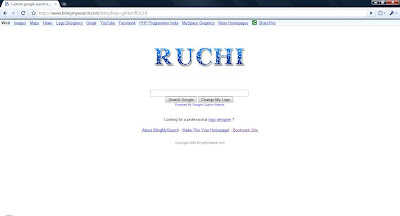
You can Change google logo text and can place your name in place of google. You can also set that page as home page of your browser, so that whenever you open browser it opens a google's search engines webpage withyour name.
Here are steps:

1). There are lots of websites which provides you to change Google logo text. One of them is http://www.blingmysearch.com/ .
2). Open above link, copy and paste above address in adress bar of browser or click here.
3). Here enter your name or any text which you want to set in place of google.

4). Select style of text by selecting one of the give designs
5). Click on create.
6). Set this webpage as your home page.

You can also select theme for your homepage by using this site.


Wednesday, April 14, 2010

Some Cool N Funny Tricks for Mozilla Firefox


Mozilla firefox is one of the coolest browser, most if us use mozilla. We kno its famous for its addons but here are some cool and funny tricks for mozilla firefox. Some of them are useful and some of them are of no use just for fun. Try them..

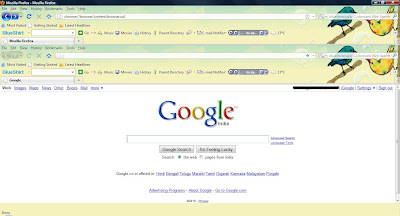
Open Firefox inside Firefox
Type "chrome://browser/content/browser.xul" in addressbar and press Enter.


Open Bookmark Manager inside a tab
Type "chrome://browser/content/bookmarks/bookmarksPanel.xul " in address bar and press Enter.


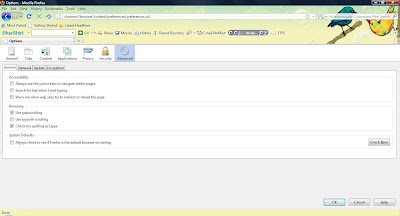
Open Options dialog box inside a tab
Type "chrome://browser/content/preferences/preferences.xul " in address bar and press Enter.

Open History Panel inside a tab
Type "chrome://browser/content/history/history-panel.xul" in address bar and press Enter.


Open Extensions Window inside a tab
Type "chrome://mozapps/content/extensions/extensions.xul?type=extensions" in address bar and press Enter.


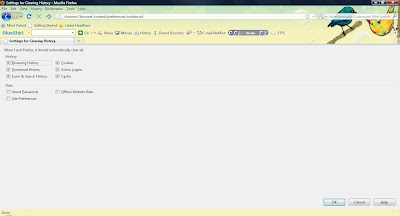
Open Private data window inside a tab
Type "chrome://browser/content/preferences/sanitize.xul" in address bar and press Enter.


Try some more
For about firefox write "chrome://browser/content/aboutDialog.xul " and press Enter
For list of names who help in creating firefox write "chrome://browser/content/aboutDialog.xul " and press Enter.